Most people grab printer ink as if it were all the same. Big mistake. Some inks vanish in sunlight. Others turn into a smudgy mess the moment a drop of water hits them.
And if you’re printing business docs or birthday photos, that’s not just annoying; it’s expensive. The truth? Your ink choice changes everything: longevity, color quality, and even how often you’re cleaning clogged nozzles.
In this post, we’ll walk through every real-world ink type, including dye, pigment, solvent, UV, sublimation, and more, and match them to what you actually print. No sales hype. Just straight talk to help you print smarter from day one.
Why Ink Type Matters More Than Your Printer Brand
Don’t focus on Epson, HP, Canon, or Brother. Ink type is key to good print quality.
Your printer is just hardware; it doesn’t create quality. The ink does.
Ink chemistry dictates real-world performance: Water resistance, fade resistance, colour accuracy, and nozzle reliability all depend on the ink, not the printer brand.
A $500 printer with the right ink outperforms a $2,000 printer with the wrong ink, every time.
Printer brands tie you to their ecosystem, but that doesn’t mean their ink is better. It just means they control the supply.
OEM ink isn’t “safer” by default; low-quality third-party ink is the problem, not third-party ink as a category. Many meet or exceed OEM specs.
Using the wrong ink type (e.g., dye for legal docs) guarantees failure– smudging, fading, or reprints.
Matching ink to use case beats brand loyalty: pigment for contracts, dye for drafts, solvent for vinyl.
You’re paying for convenience, not superiority, when you buy brand-name cartridges at 300% markup.
The smart move? Decide what you’re printing first, then choose ink, then printer. Reverse that order, and you’re gambling.
1. Dye-Based Ink
You’ve unearthed dye-based ink nestled in your printer’s starter cartridges. This budget-friendly choice splashes vibrant colors onto your vacation snapshots. Yet, it comes with its own hurdles. Daily life can be a rough ride for this ink.
Colors can fade easily due to humidity, spills, or sun. Dye ink soaks into paper, making it prone to fading. It’s best for disposable prints, not for long-lasting use.
Don’t use it for client handouts, framed prints, or anything you’re not okay with turning dull by next season. It’s not “bad”; it’s just honest about its limits. Know them, and you’ll never waste money (or paper) expecting it to do a pigment ink’s job.
2. Pigment-Based Ink
Pigment-based ink is reliable and secure. It uses solid particles that sit on top of the paper, sealed in place, and won’t dissolve.
That’s why it laughs at water, resists UV rays like sunscreen, and can last 100+ years in the right conditions. Yes, colors might look slightly less “pop” than dye, especially on glossy photo paper, but for sharp text, legal docs, or gallery prints?
Non-negotiable. Epson’s UltraChrome and Canon’s LUCIA inks? That’s pigment doing its thing. Just don’t leave your printer idle for months; these particles can settle and clog nozzles if you’re not printing regularly.
3. Solvent Ink
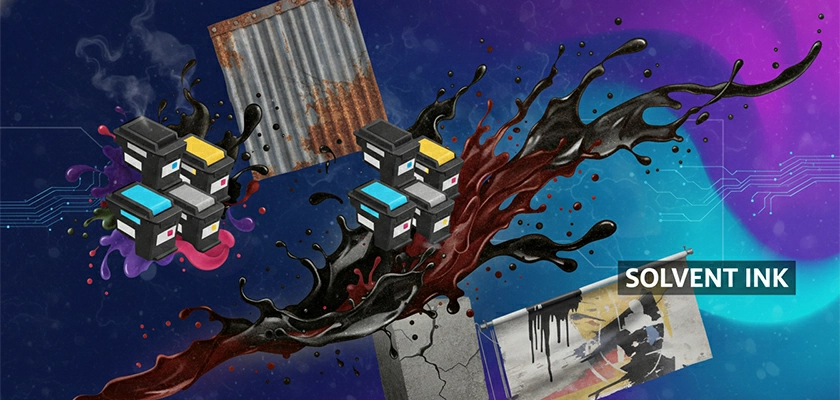
This isn’t your office ink. Solvent ink is the tough, no-nonsense brawler of the printing world—oil-based, aggressive, and built to stick to things that shouldn’t hold ink: vinyl, plastic, metal, even dirty banners on construction sites.
It doesn’t dry; it evaporates, leaving behind pigment bonded to the surface like a tattoo. The trade-off? It stinks. Literally. Traditional solvent inks release strong VOCs, so you need ventilation or an industrial space. That’s why “eco-solvent” versions popped up, with less odor, safer for indoor shops, but slightly less rugged.
Either way, if you’re printing billboards, car wraps, or outdoor signage that survives monsoons, solvent is your answer. Just don’t try loading this into your home HP, your printhead won’t survive the first page.
4. UV-Curable Ink

Imagine ink that goes from liquid to rock-hard plastic in seconds under a UV lamp. That’s UV-curable ink. It doesn’t soak or evaporate; it cures into a durable, scratch-resistant layer the moment light hits it.
This is the magic behind printing on glass, wood, acrylic, or even phone cases without pre-treatment. No drying time. No smudging. You print, it’s done. But there’s a catch: you need a $15K+ flatbed printer with UV lamps built in.
Not exactly a home-office solution. And while it’s incredibly tough, it can feel slightly “plasticky” and lacks the subtle texture of traditional ink on paper. Use it for industrial labels, retail displays, or custom merch, never for fine art or documents. It’s power, not poetry.
5. Sublimation Ink (Dye-Sublimation)

This one’s pure chemistry magic—but only if you’re printing on the right stuff. Sublimation ink doesn’t sit on the surface. When heated to around 400°F, it turns from solid to gas (skipping liquid entirely, hence “sublimation”) and bonds inside polyester fibers or polymer-coated blanks.
That’s why your custom mug or workout shirt doesn’t crack or peel: the color’s embedded, not printed. But here’s the hard truth: it’s useless on cotton, regular paper, or uncoated wood.
Zero adhesion. If your printer isn’t a dedicated dye-sub model (like Sawgrass) or a converted Epson with sublimation ink, you’re just wasting time. Great for merch, terrible for memos.
6. Latex Ink
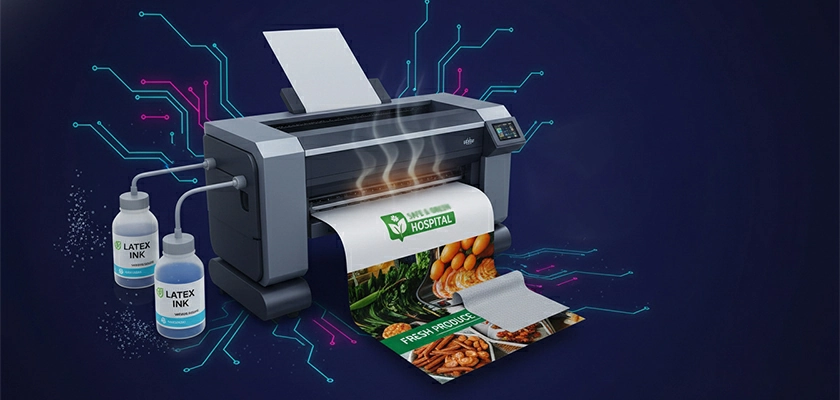
Don’t let the name fool you; it’s not rubber, and it won’t give you a rash. HP’s “Latex” ink is actually water-based polymer particles cured with heat. Think of it as the eco-friendly middle ground between solvent and UV.
It prints on vinyl, fabric, and banners, indoors or out, and dries fast with almost no odor. That’s why schools, hospitals, and retail stores love it: durable and safe to hang right after printing.
The downside? It guzzles power (those heaters aren’t free), and it won’t stick to rigid materials like acrylic or metal. If you need outdoor graphics without the fumes of solvent, latex is your best bet. Just don’t expect it to work in your Canon PIXMA.
7. Solid Ink (Phase-Change Ink)
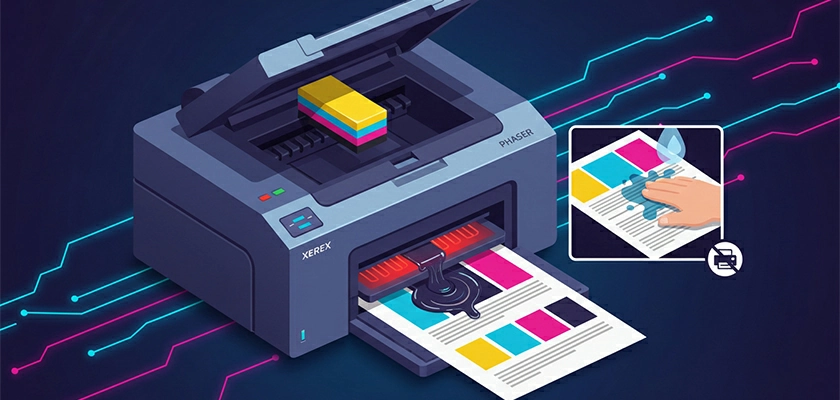
Remember those waxy crayon-like sticks? That’s solid ink used almost exclusively in older Xerox Phaser printers. It melts on contact and lays down rich, consistent color, even on textured paper.
Plus, it creates almost no waste because there’s no cartridge or drying time. Prints feel slightly glossy, almost coated. Solid ink has two big issues: it smears when wet (try rubbing it with a wet finger, and you’ll see), and most printers using it are no longer made.
If you’ve got one in your office basement, it’s a relic—quirky, colorful, but impractical for anything beyond internal drafts.
The Hidden Cost Trap: OEM vs. Third-Party Inks
Well! The OEM vs. third-party ink debate isn’t about “safe vs. risky.” It’s about chemistry vs. convenience.
Printer brands scream that third-party ink will “void your warranty” or “destroy your printhead.” But here’s what they don’t say: warranties are rarely voided just for using compatible ink, and printheads fail due to ink formulation, not brand labels.
The real issue?
– OEM cartridges are engineered to exact specs: particle size under 1 micron, stable pH, consistent viscosity.
– Cheap third-party inks often cut corners: oversized pigment clumps, wrong solvent balance, or impurities that dry into sludge inside your nozzles.
The hidden trap isn’t third-party ink—it’s blind loyalty to a logo.
You’re paying 300% markup for a plastic shell and a chip. The ink itself? Often made by the same suppliers.
Do this instead:
– Check independent lab reports (yes, they exist) for particle size and pH.
– Avoid ultra-cheap no-name cartridges on Amazon with 10,000 five-star “reviews.”
– If your printer sits idle, stick with OEM—third-party dye inks dry faster and clog easier.
– For high-volume printing? Test a single third-party cartridge first. If print quality holds and nozzles stay clean after 500 pages, scale up.
How to Pick Your Ink in 60 Seconds
Forget endless forums and spec sheets. Here’s how to pick the right ink fast, based on what you’re actually printing:
Ask yourself just two questions:
1. What am I printing?
– Photos for the wall or gifts? → Pigment-based ink (if archival) or dye-based (if indoor and short-term).
– Contracts, resumes, or anything official? → Pigment-based ink—waterproof and sharp.
– T-shirts, mugs, or polyester fabric? → Sublimation ink (and a heat press).
– Banners, vinyl decals, or outdoor signs? → Solvent or latex ink (eco-friendly alternative).
– Wood, acrylic, or phone cases? → UV-curable ink (specialty printer required).
– Daily office documents? → Laser toner—not ink. Stop overcomplicating it.
2. Where will it live?
– Indoors, dry, short-term? → Dye is fine.
– Outdoors, humid, or needs to last years? → Pigment, solvent, or latex—no exceptions.
Pro shortcut:
– Home user printing mixed docs/photos? → Get a tank printer with dye for color, pigment for black (like Epson EcoTank).
– Running a small business? → Never use dye for client-facing work.
– Doing custom merch? → Sublimation is your lane—don’t try to fake it with regular ink.
If you can answer those two questions, you’ve already outsmarted 90% of buyers. No marketing noise. No brand bias. Just the right tool for the job. Done in 60 seconds—or less.
To Conclude
Printer ink isn’t one-size-fits-all; it’s a strategic choice. Dye fades. Pigment lasts. Solvent sticks to vinyl. Sublimation lives in polyester. UV cures on glass. Using the wrong type wastes money and ruins prints.
Forget brand loyalty; focus on what you’re printing and where it’ll live. Indoors? Outdoors? On paper, plastic, or fabric? Match the ink to the job, not the logo on the box. The right choice gives you durability, color accuracy, and lower cost per page.
The wrong one? Smudges, clogs, and regret. You don’t need the “best” ink; you need the right ink. And now, you know how to pick it.